Transcription software

Records your meeting automatically and prepares the recap. No bots

Specala AI notices a call, records it on your computer and gives you a speaker-labelled transcript, an AI report and tasks. The recording stays with you.

50 free minutes every month

Meetings

People in the call, not bots

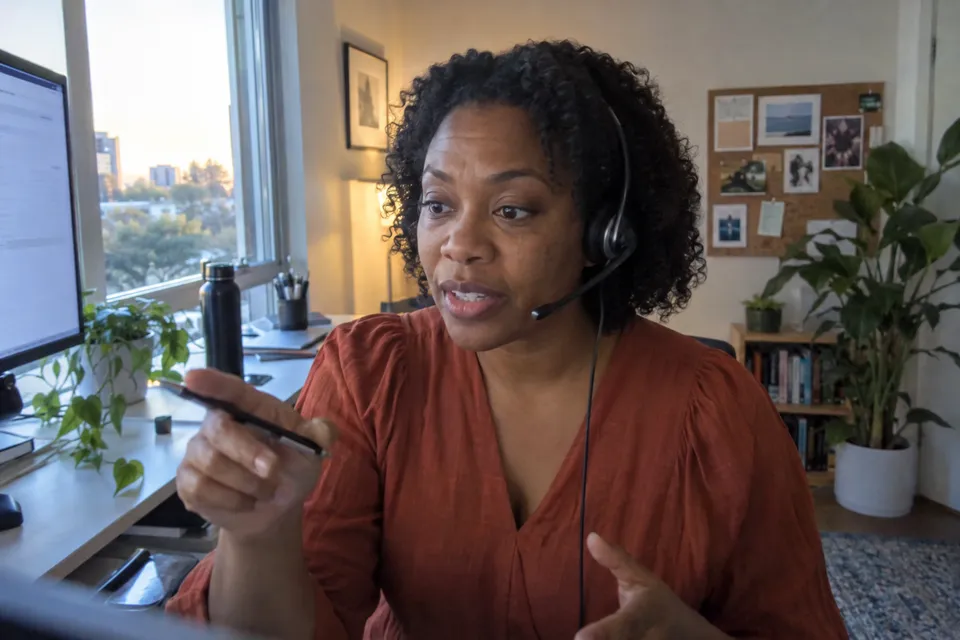
The app notices a call in Zoom, Google Meet, Microsoft Teams or the browser and asks whether to record it. It captures your computer's audio and your microphone — no extra participant joins the meeting.


Works where you already meet

  • Zoom
  • Google Meet
  • Microsoft Teams
  • Any meeting in the browser

Files

Any recording becomes text and a recap

Drag in audio or video and get a transcript with speakers and a finished report. The recording stays with you: click a timestamp and listen from that moment.

Tasks

What you agreed on becomes a task list

The app finds commitments in the conversation and assigns owners. Click a timecode to hear where it was said.

AI chat

Ask your meetings

The chat answers across all your transcripts and links to the moment in the recording where it was said. No need to remember which meeting decided what.

Privacy

Your recordings stay with you

  • Audio is stored with you

    In a folder on your computer that you choose.

  • Deleted from servers right away

    After processing, only the text stays with us.

  • The text is encrypted

    AES-256, a separate key for every workspace, TLS in transit.

Voice typing

Speak — the text appears where your cursor is

Hold Right Ctrl or Right Option in any window: an email, a messenger, a document.

Free

Download Specala AI for Windows and macOS

Specala AI is free transcription software that turns audio to text on your computer — a transcription app for audio, video and voice. 50 free minutes every month.

  • Windows

    • Windows 10 and 11
    • x64 and ARM64

    Windows may warn you about an unknown publisher: click “More info”, then “Run anyway”.

  • macOS

    • macOS 14.4 or later
    • Apple Silicon (M1 or newer)

    Signed and notarized by Apple. Intel Macs are not supported yet.

Version 1.4.1 | Internet required for transcription

FAQ

Questions and answers

Is the app free?
Yes. Specala AI is a free program to transcribe audio to text: download it at no cost and get 50 minutes of transcription every month. On the Pro and Expert plans meeting recording is unlimited.
Is there a limit on meeting recording?
On the Pro and Expert plans meeting recording is unlimited: calls recorded in the app do not use your minutes. Plan minutes are spent only on uploaded files and links. On the free plan meetings and files share the same 50 minutes a month. Plans and pricing
Which computers does the app run on?
Specala AI runs on Windows 10 and 11 (x64 and ARM64) and on Macs with Apple Silicon running macOS 14.4 or later. For Intel Macs, Linux and phones there is the web version. Specala AI in Telegram
Do I need an internet connection?
You can record meetings offline — the file is saved on your computer. Turning audio into text needs a connection: recognition runs on Specala AI servers, so the app does not load your computer and does not need a graphics card.
What happens to my recordings?
The audio is stored on your computer. It is sent to Specala AI servers over a secure connection only for processing and is deleted right after. The transcript text is stored encrypted.
Windows says the publisher is unknown. Is that normal?
Yes. The Specala AI installer does not have a paid code signing certificate yet, so Windows shows a warning. Click “More info”, then “Run anyway”. Download the app only from this page.
How is the app different from the web version?
The Specala AI app does everything the web version does and adds meeting recording, a player with the local recording and voice typing. Transcripts are shared: what you start in the app shows up in the browser. Online transcription, no install
How is Specala AI different from local apps like Whisper Desktop?
Local apps recognize speech on your computer: they need a powerful CPU or GPU, and a long recording takes a long time. Specala AI recognizes speech on the server — faster and on any computer — and adds speakers, reports and meeting recording. If recordings must never leave the computer, even for processing, a local app is the better fit.
Which files can be transcribed?
Specala AI accepts audio and video in 40+ formats — MP3, WAV, M4A, OGG, MP4, MOV and more, up to 5 GB and 10 hours per file. You can also paste a link to a video or a cloud drive.
Which languages does the transcription app understand?
Specala AI is a transcription app for 99 languages: it detects the language itself, labels speakers and adds timestamps. The transcription software turns audio to text in English, Spanish, German, Turkish, Arabic and many more.
Can I use it as dictation software on Windows and Mac?
Yes. Specala AI doubles as dictation software: hold a key and speak, and your words appear in any window. It gives you Windows dictation and speech to text on a Mac. If the built-in Windows speech to text is not enough, this one works in every app.
Does it work as meeting notes software?
Yes. Specala AI is meeting notes software and a meeting minutes app in one. It can record meetings and transcribe them without a bot in Zoom, Google Meet and Microsoft Teams, then write the notes, decisions and tasks — the job of meeting minutes software, done for you. More about the meeting assistant
Free

Your first transcript — in a couple of minutes

Download Specala AI and record your next meeting.

50 free minutes every month | Windows and macOS